
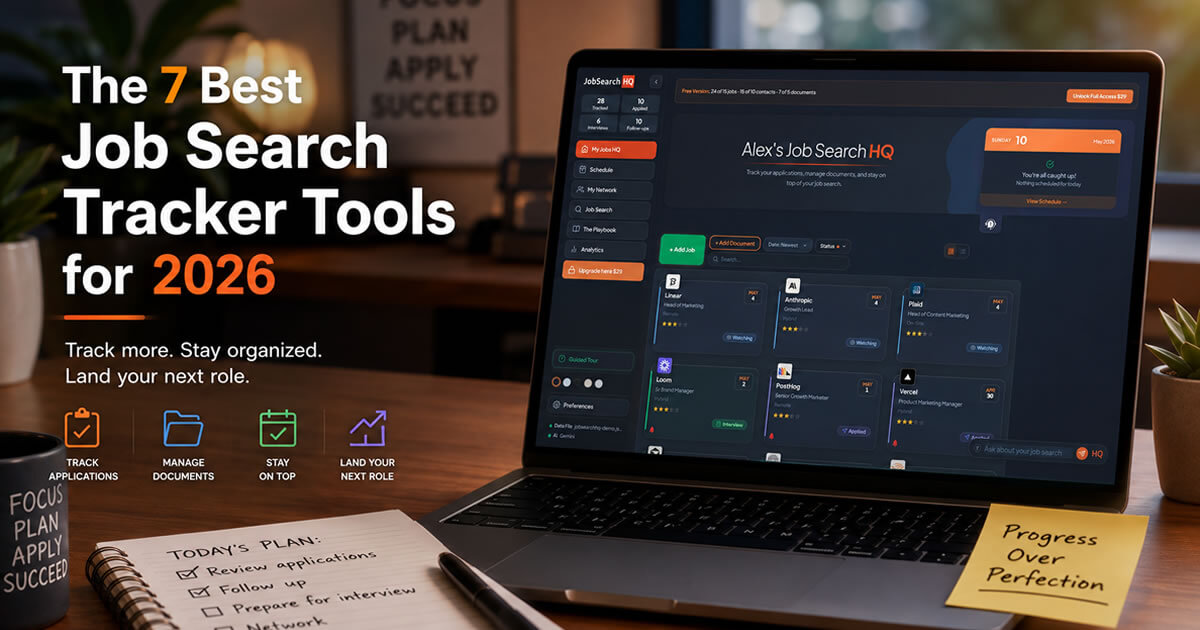
The 7 Best Job Search Tracker Tools for 2026
The application is the easy part. The hard part is everything after. You forget which jobs you applied to, you miss follow-ups, you can't remember what the recruiter said two weeks ago, and you're staring at the same resume wondering if it's the right version. Three months into a search and the whole thing feels like a mess.
Not every "job tracker" actually fixes this. Most are basically kanban boards with a contact list stuck on the side. A few are real CRMs that connect your jobs, contacts, interviews, and follow-ups so you can actually run a search instead of just storing it. The table below shows which is which.
Seven job search trackers, ranked
| Tool | Pricing | CRM | Analytics | AI | Resume Fit | Ask Data | Private | |
|---|---|---|---|---|---|---|---|---|
| 01 |
JobSearchHQ
Privacy-first CRM
|
$29 once
Free up to 15 jobs
|
✓ | ✓ | ✓ | ✓ | ✓ | ✓ |
| 02 |
Huntr
Tracking + extension
|
$40 /mo
Free up to 100 jobs
|
○ | ○ | ○ | ○ | × | × |
| 03 |
Teal HQ
Resume optimization
|
$29 /mo
Free tier available
|
○ | ○ | ○ | ✓ | × | × |
| 04 |
Simplify
Application autofill
|
Free
Free plan + paid
|
× | × | ○ | × | × | × |
| 05 |
Notion templates
DIY tracker
|
$5 to $15
Free templates available
|
○ | × | × | × | × | ○ |
| 06 |
MaxOfJob
Lightweight CRM
|
Free + paid
Free plan available
|
○ | × | × | × | × | × |
| 07 |
Spreadsheet
Sheets / Excel
|
Free
Always free
|
× | × | × | × | × | ✓ |
The seven tools, in detail.
JobSearchHQ
RecommendedJobSearchHQ is a desktop CRM for job seekers. Track applications, schedule follow-ups, log interview notes, manage your contacts, and use built-in AI for the writing parts you don't want to do at 10pm on a Sunday. Everything stays on your computer.
The short version: most trackers help you save jobs. JobSearchHQ helps you actually run the search.
- Application tracking. Save every job you apply to with status, role, company, salary, source, and notes. See your whole pipeline in one view.
- Follow-up scheduling. Set reminders for follow-ups, interviews, and tasks. Stop missing check-ins.
- Contact CRM. Save every recruiter, hiring manager, and connection. Each one stays linked to the jobs and interviews they're part of.
- Interview notes. Write down what they asked, how it went, and what's next. Tied to the job and the people you spoke with so you can find it later.
- The Playbook (200+ AI prompts). Ready-to-use prompts for cover letters, follow-up emails, interview prep, thank-you notes, and salary negotiation. Each one uses your real resume and the actual job description.
- AI Resume Fit Score. Scans the job posting against your resume and shows you which keywords you're missing before you hit submit.
- Ask My HQ. A chat bar that answers questions about your own search. "Who haven't I followed up with?" "What did the Acme recruiter say last time?"
- Analytics dashboard. Shows which job boards are getting you interviews, where you're getting stuck in the funnel, and which sources are wasting your time.
- Privacy by design. All your data sits on your computer. No cloud account, no recruiter database, no employer can stumble across your search.
- One-time price. $29 once, yours forever. No monthly bill stacking up while you're between jobs.
- Wins on
- Depth (real CRM, not a kanban). Privacy (local-only). Price (one $29 payment beats $90 to $120 of subscription over a three-month search).
- Falls short
- Desktop only (Chrome and Edge). No mobile app. No Chrome extension yet for one-click job clipping.
- Skip if
- You add most of your jobs from your phone, or you rely on a Chrome extension to capture postings.
Huntr
SolidHuntr is the biggest dedicated job tracker out there, with 250,000+ users and over 5 million jobs tracked. Kanban-style boards with a basic CRM layer for contacts and interviews.
Where it wins. The Chrome extension is genuinely great. 4.9 stars from 1,100+ reviews. One-click job clipping from LinkedIn, Indeed, Greenhouse, Lever, and most other boards. Autofill works. The free tier of 100 jobs is more generous than most.
Where it falls short. Pro is $40/month, or $30/month if you commit to a quarter. The free plan gives you a small number of AI credits, then hits you with a paywall. Resume building, AI tailoring, advanced analytics, and most of the CRM features are locked behind Pro.
- Best for
- People applying to a lot of jobs each week who want the Chrome extension above everything else.
- Skip if
- You don't want to pay $30 to $40 a month for full features.
Teal HQ
SolidTeal is half job tracker, half resume builder. Over 650,000 users since 2019. Its big thing is the resume-to-job-description matcher, which scores how well your resume lines up with a posting and points out which keywords are missing.
Where it wins. The keyword matcher works. 98% of Fortune 500 companies use ATS filters and around 40% of applications get screened out before a human looks at them, so getting the keywords right can be the difference between landing an interview and getting ghosted. The free tier covers tracking and basic ATS analysis, which is more than you'd expect.
Where it falls short. Teal+ is $29 a month, and that's where the actually useful features live (AI bullet writer, unlimited cover letters, deeper analysis). Some users have also flagged that exported resume templates can format in ways some ATS systems don't read cleanly.
- Best for
- People whose biggest problem is tailoring resumes to beat ATS filters.
- Skip if
- You don't want a monthly subscription, or you need real contact and interview tracking on top.
Simplify
LimitedSimplify takes a different angle. Instead of helping you organize applications, it focuses on speeding up the application itself. Their Chrome extension autofills applications across Workday, Greenhouse, iCIMS, Lever, and 100+ other portals from a single saved profile.
Where it wins. If you're applying to 20+ jobs a week, the time you save adds up fast. The autofill works, the ATS coverage is wide, and the basic plan is free.
Where it falls short. The tracking side is barely there. No real CRM. If you care about managing your pipeline, your contacts, your interview notes, and your follow-ups, you'll hit the wall quickly.
- Best for
- People firing off lots of applications who care more about speed than tracking depth.
- Skip if
- You want real pipeline management or CRM features.
Notion templates
LimitedNotion templates are popular because they're cheap and you can bend them to whatever you want. Search "job tracker Notion template" and you'll get hundreds of options, free to about $15.
Where it wins. Full flexibility. Build your own columns, link databases, set up views that match how you think. If Notion is already your workspace, your job search lives next to everything else.
Where it falls short. Zero automation. No extension to clip jobs. No autofill. No resume scoring. No AI prompts. You type in every single job by hand. And the quality of free templates is hit or miss.
- Best for
- Existing Notion users who'd rather customize than automate.
- Skip if
- You want anything that does work for you.
MaxOfJob
LimitedMaxOfJob is one of the newer trackers, calling itself a lightweight CRM. It covers the basics: application tracking, interview scheduling, contact storage, resume storage, plus an achievements journal so you can see your wins as you go. The Chrome extension lets you save jobs from LinkedIn in one click.
Where it wins. Clean interface, easy to pick up. The achievements journal is a nice motivational angle Huntr and Teal don't have. There's a job comparison tool for weighing offers. And the basic plan is free.
Where it falls short. The feature set is thinner than the established players. No AI at all (no prompt library, no resume fit scoring, no AI cover letters). Analytics are basic. Smaller team and user base, so it shows in spots. In 2026, not having any AI is a real gap.
- Best for
- First-time job seekers who want something simple and free, without Huntr's complexity or Teal's subscription.
- Skip if
- You want AI for writing, resume scoring, or any analytics beyond basic counts.
Spreadsheet
LimitedFor a short, focused search (under 25 applications), a spreadsheet works fine. Don't overthink it.
Where it wins. Free, instant, no learning curve, works offline, and you own the file.
Where it falls short. It falls apart once you scale. Past 30 or 40 applications, finding things, updating statuses, and remembering follow-ups gets painful. You can't link contacts to jobs cleanly. Nothing reminds you to follow up. And one wrong delete and weeks of work are gone.
- Best for
- Short, focused searches under 25 applications.
- Skip if
- You think your search will grow past a few dozen jobs.
How to actually pick one.
The best tool is the one you'll actually open every day.
A free spreadsheet you check every day beats a $40-a-month app you abandon by week two. Pick something simple, start using it tomorrow, and switch later if you outgrow it.
What ruins most job searches isn't the tool. It's forgetting where you applied, not following up, and losing track of who said what. Any of the tools on this list will fix that. The right one for you comes down to how you work, what you can spend, and how much you trust other companies with your data.
Your job search, organized. Your data, owned.
One-time $29. No subscription. No account. Local-only. Free trial up to 15 jobs.
Share this article
