
Application Center
Every job, in its own workspace.
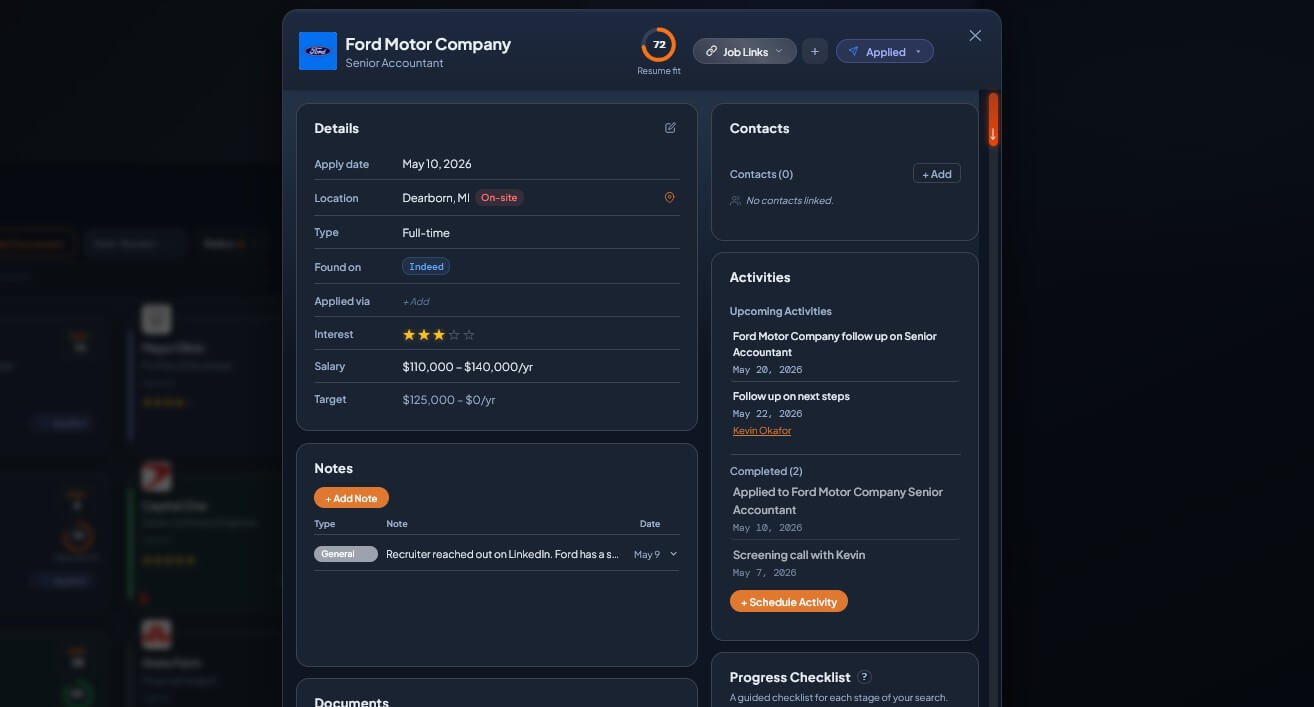
Job posting, resume, cover letter, contacts, activities, notes. Click any job and the full application workspace opens. Everything you need for that role, in one place.
All-in-one
Per-job workspace
3 docs
Posting, Resume, Cover Letter
Auto-link
Contacts & activities
The workspace
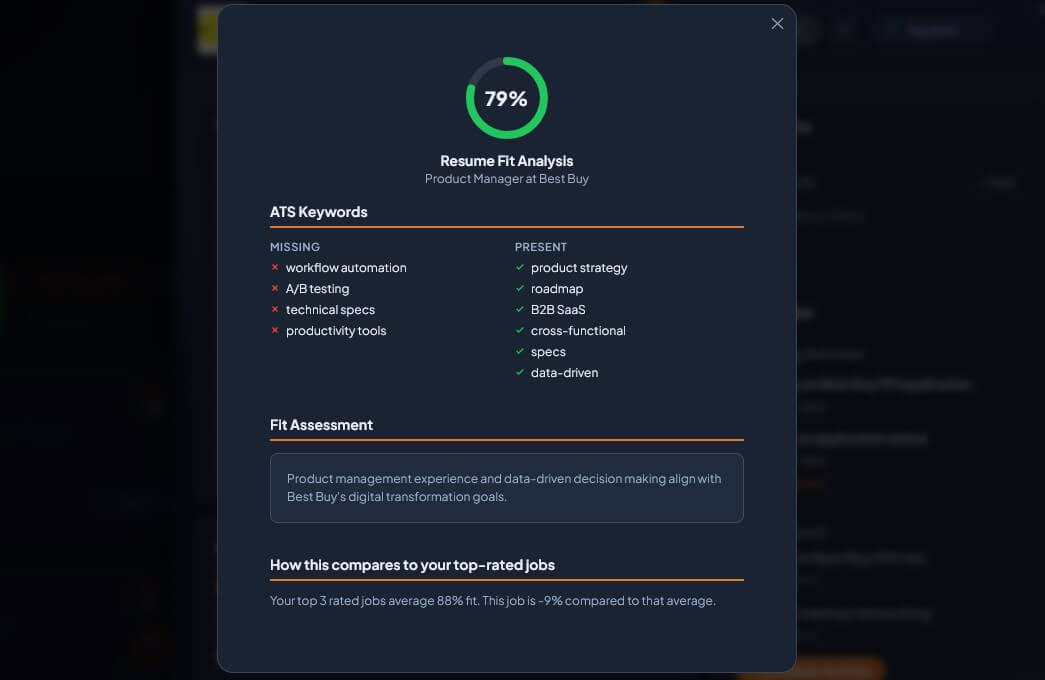
Resume Fit Score
Know your ATS odds at a glance.
AI compares your resume to the posting. Shows matching, missing, and quick wins.
See it in action →
Linked Contacts
Recruiters and connections, on the job.
Every contact tied to a role shows on its card with full conversation history.
See it in action →
Activities & Checklist
Follow-ups, interviews, tasks per job.
Schedule activities tied to this role. Custom checklist tracks what's left to do.
See it in action →
Full walkthrough
Inside the Application Center.
See how every job becomes its own command center with documents, contacts, activities, and Resume Fit, all in one workspace.
FREE TRIAL
$0to start
Try it free.
15 jobs free. No signup. No credit card. Just open it and start tracking.
Open Live Demo → $29 once to unlock unlimited. No subscription.Common questions
Can I use multiple resumes for different jobs?
Yes. Upload all resume versions to My Documents and pick the right one per job. Resume Fit recalculates automatically so you can compare which version aligns best.
How does the Resume Fit Score work?
AI compares your resume to the job description. It scores alignment, flags missing keywords ATS filters look for, and suggests quick wins.
Can I paste a cover letter or do I have to upload one?
Both. Paste text directly, pick from My Documents, or generate one using The Playbook prompts. Pasted versions stay on that specific job.
What's the difference between My Notes and Activity notes?
My Notes are general thoughts on the job. Activity notes tie to specific scheduled activities and flow to the linked contact automatically.