
My Jobs HQ
Track
Find
Manage
Win
every job application,
on one screen.
The dashboard that runs your entire job search. Every status, every score, every detail, in a single view that updates the moment you do.
Unlimited jobs tracked
100%
Local & private. No account.
$29
One time. No subscription.
The dashboard
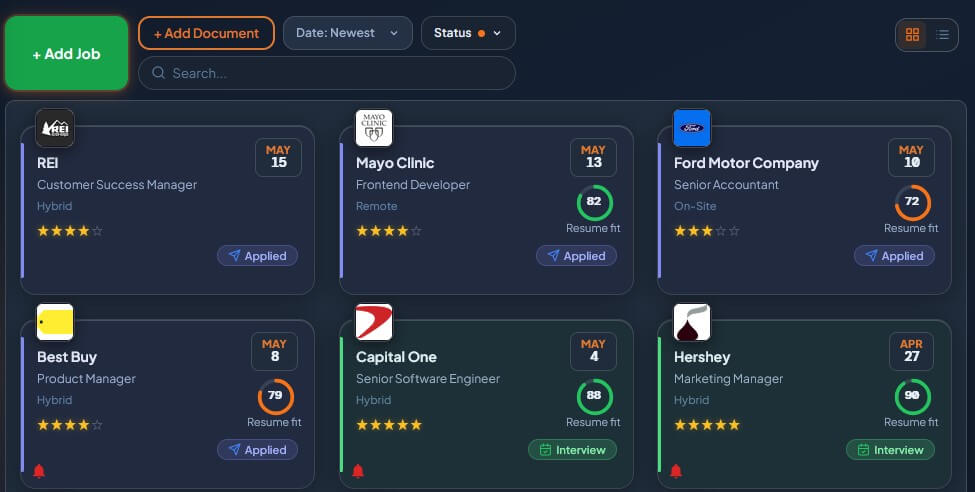
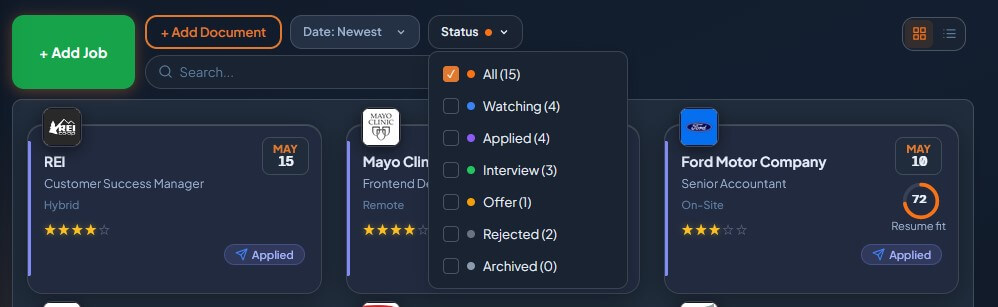
Pipeline View
Filter, sort, find anything in seconds.
Status pills, sort options, and search across your entire pipeline.
See it in action →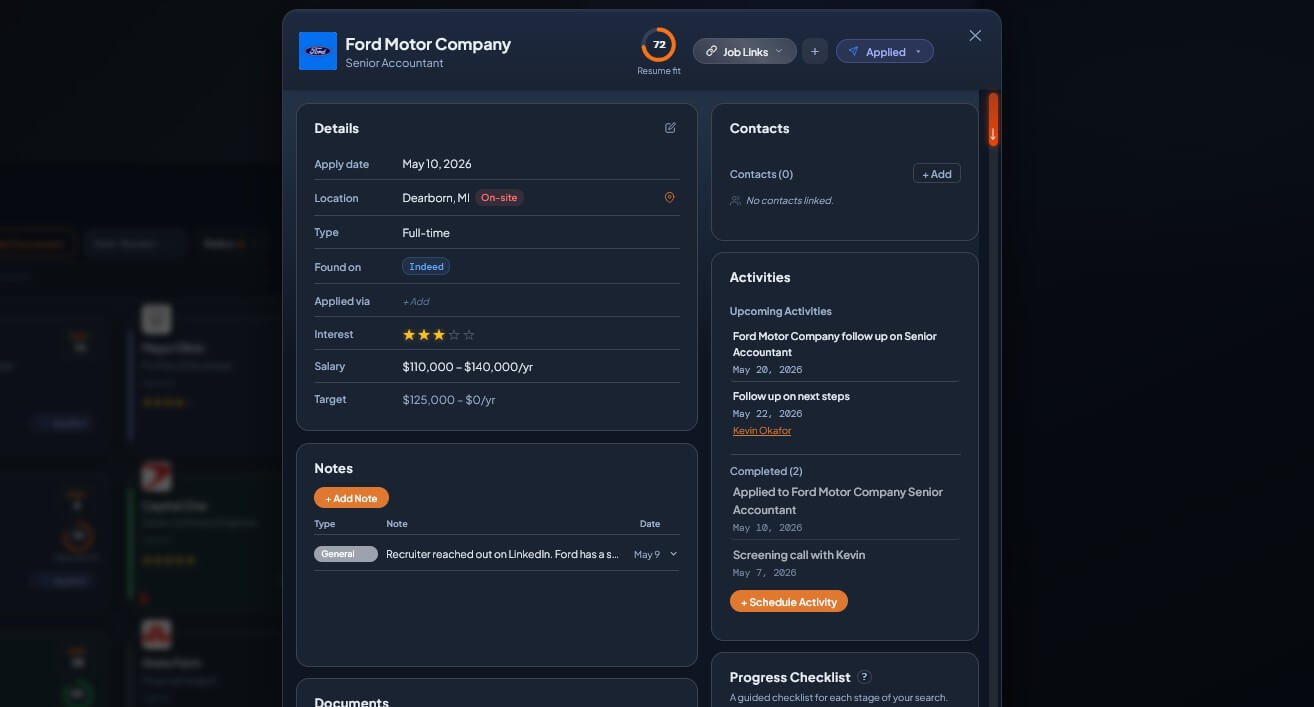
Application Center
Full workspace per job.
Posting, resume, cover letter, contacts, activities, notes, all linked.
See it in action →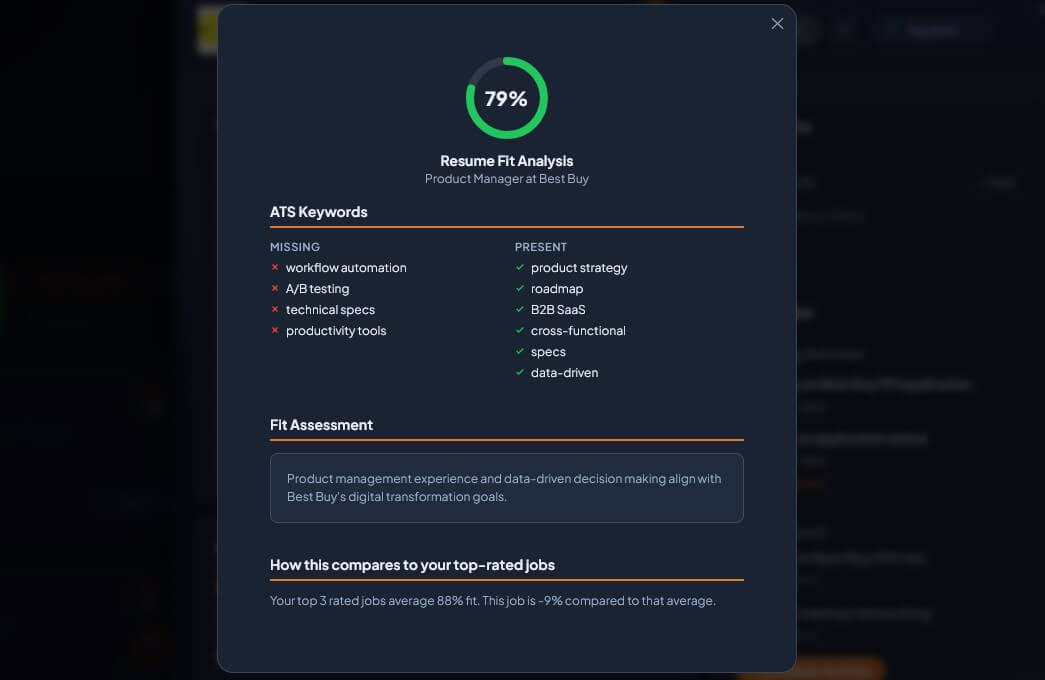
Resume Fit Score
Beat the ATS before you submit.
AI scans your resume vs. the posting. Shows matching and missing keywords.
See it in action →
30-second tour
Add a job in one click.
Copy any job posting. Paste it into JobSearchHQ. Auto-fills the details. Done.
FREE TRIAL
$0
to start
Try it free.
15 jobs free. No signup. No credit card. Just open it and start tracking.
Open Live Demo → $29 once to unlock unlimited. No subscription.Common questions
How do I change a job's status?
Click any job tile to open the Application Center. The status dropdown sits in the top right of the header. Pick a new status and it saves instantly.
What happens to rejected jobs?
They stay in your Rejected filter, never deleted. Move to Archived to clean up the main view while keeping the record.
Can I track jobs I haven't applied to yet?
Yes. Set status to Watching. Move to Applied when you submit. The Watching pill keeps these visible but separate.
What's the Resume Fit score?
AI-generated alignment between your resume and the job posting. Higher score, better ATS odds. Click the circle for the full breakdown.